
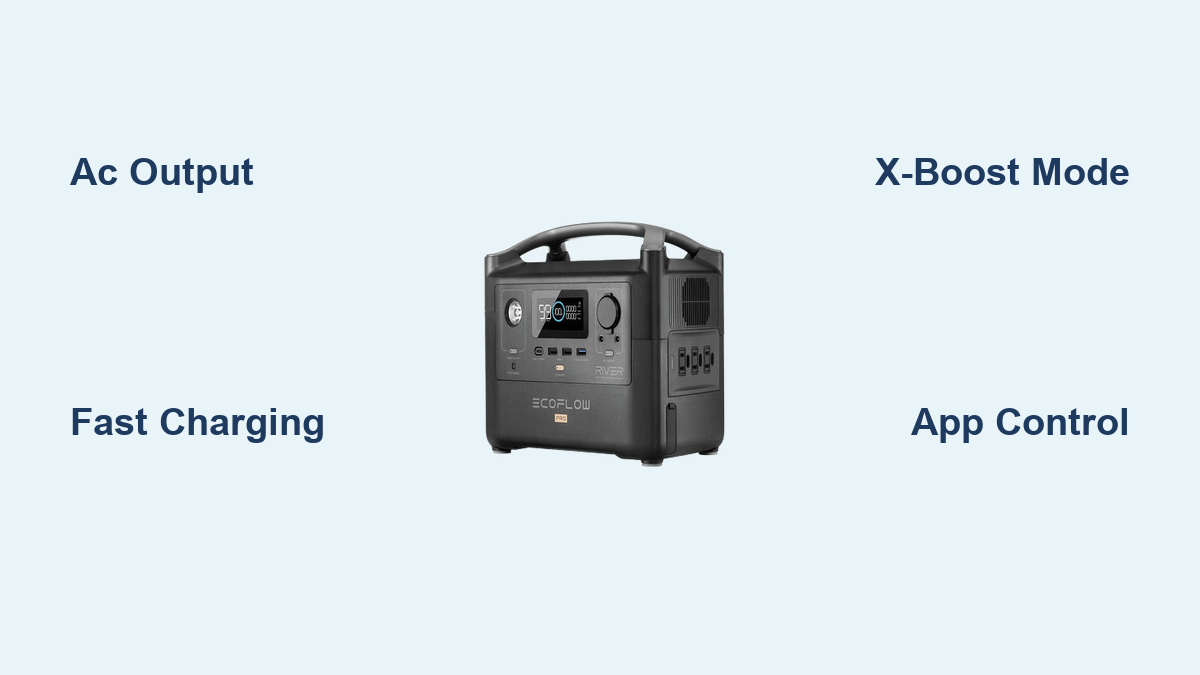
Are you excited about your new EcoFlow River Pro, but feeling overwhelmed by all its features? It’s common to be unsure how to get the most out of this powerful portable power station. The quickest fix is to simply plug in a device and press the AC output button, but that barely scratches the surface!
This comprehensive guide will walk you through everything you need to know to use your EcoFlow River Pro effectively, from initial setup and charging to understanding its various output options and troubleshooting common issues. By the end of this article, you’ll be confidently powering your life on the go with your River Pro.
Understanding Your EcoFlow River Pro
The EcoFlow River Pro is a versatile portable power station designed to provide reliable power wherever you need it. It’s known for its fast charging capabilities, high output, and smart features. Before diving into usage, understanding its key components is crucial.
- AC Outputs: Provides standard household power for appliances.
- DC Outputs: Includes 12V car outlets and USB ports for charging smaller devices.
- X-Boost Technology: Allows the River Pro to power appliances that require more wattage than typically supported.
- X-Stream Technology: Enables incredibly fast charging from a standard AC outlet.
- App Connectivity: Allows remote monitoring and control via the EcoFlow app.
- Battery Capacity: 720Wh (expandable with extra batteries).
Getting Started: Initial Setup and Charging

Initial Setup
- Unboxing: Carefully unpack your EcoFlow River Pro and verify all components are included (River Pro unit, AC charging cable, car charging cable, user manual).
- Power On: Press the power button on the unit. The screen will illuminate, displaying battery level and other information.
- Initial Charge: It’s recommended to fully charge the River Pro before first use.
Charging Options
- AC Charging (X-Stream): This is the fastest method. Connect the AC charging cable to a standard wall outlet. Full charge takes approximately 60-70 minutes.
- Car Charging: Use the car charging cable to charge the River Pro from your vehicle’s 12V outlet. This is a slower method, taking several hours.
- Solar Charging: The River Pro is compatible with EcoFlow solar panels. Connect compatible panels using the appropriate adapters. Charging time depends on panel wattage and sunlight conditions.
- USB-C Charging: Supports USB-C Power Delivery (PD) for slower charging.
Utilizing the EcoFlow River Pro: Outputs and Features
AC Output
The AC output provides standard 120V (or 230V depending on your region) power.
- Press the AC button on the unit or in the app to activate the output.
- Plug in your device.
- Monitor the power usage on the screen or in the app.
- X-Boost: If a device won’t run, enable X-Boost in the app. Note: X-Boost can reduce efficiency and may not work with all appliances.
DC Output
- 12V Car Outlet: Ideal for powering car accessories like refrigerators or lights. Simply plug in the accessory.
- USB-A & USB-C Ports: Use these ports to charge smartphones, tablets, and other USB-powered devices.
App Connectivity and Control
- Download the EcoFlow App: Available on iOS and Android.
- Connect to Wi-Fi: Follow the in-app instructions to connect your River Pro to your home Wi-Fi network.
- Remote Monitoring: View battery level, input/output wattage, and remaining run time.
- Remote Control: Turn AC outputs on/off remotely.
- Customize Settings: Adjust charging parameters and update firmware.
Maximizing Your EcoFlow River Pro: Tips and Tricks

Extending Run Time
- Power-Saving Mode: Enable this in the app to reduce standby power consumption.
- Turn Off Unused Outputs: Disable AC, DC, and USB outputs when not in use.
- Use Energy-Efficient Appliances: Choose appliances with lower wattage ratings.
- Optimize Charging: Utilize solar charging whenever possible.
Expanding Capacity
The River Pro supports expandable capacity with additional EcoFlow River Pro batteries. Simply connect the extra battery to the main unit to double your total capacity to 1440Wh.
Using with EcoFlow Smart Devices
The River Pro seamlessly integrates with other EcoFlow products, like the Smart Generator, for extended power solutions.
Troubleshooting Common Issues
River Pro Won’t Turn On
- Check Battery Level: Ensure the unit isn’t completely depleted.
- Power Button: Press and hold the power button for a few seconds.
- Reset: Press and hold the AC and DC buttons simultaneously for 5 seconds to reset the unit.
AC Output Not Working
- AC Button: Verify the AC output is enabled.
- Overload Protection: The River Pro may shut down the AC output if overloaded. Disconnect some appliances and try again.
- X-Boost: If the appliance requires more wattage, try enabling X-Boost.
Charging Issues
- Check Cable and Outlet: Ensure the charging cable is securely connected and the outlet is functioning.
- Charging Temperature: The River Pro may not charge in extreme temperatures.
- Firmware Update: Ensure the unit has the latest firmware installed.
Pro Tips for EcoFlow River Pro Users
- Regularly check firmware updates: EcoFlow frequently releases updates that improve performance and add new features.
- Store properly: When not in use for extended periods, store the River Pro in a cool, dry place with a battery level between 40-60%.
- Protect from extreme temperatures: Avoid exposing the unit to direct sunlight or freezing temperatures.
- Understand X-Boost limitations: Not all appliances will work with X-Boost; some may experience reduced performance.
- Utilize the app for detailed monitoring: The app provides valuable insights into power consumption and battery health.
When to Seek Professional Help
- Physical Damage: If the unit has been dropped or damaged.
- Battery Issues: If the battery isn’t charging or discharging properly.
- Internal Errors: If the unit displays error messages that you can’t resolve.
- Safety Concerns: If you notice any unusual smells, sounds, or overheating.
FAQ
Q: Can I use the EcoFlow River Pro while it’s charging?
A: Yes, the River Pro supports pass-through charging, allowing you to use it while it’s being charged.
Q: How long will the River Pro power my refrigerator?
A: This depends on the refrigerator’s wattage and how often it cycles on/off. A typical refrigerator might run for 5-10 hours on a fully charged River Pro.
Q: Can I connect multiple solar panels to the River Pro?
A: Yes, you can connect multiple compatible EcoFlow solar panels in parallel to increase charging speed.
Q: What is the lifespan of the EcoFlow River Pro battery?
A: The battery is designed to last for over 800 cycles to 80% capacity.
Enjoy Your New Power Station
Following this guide, you’re now equipped to confidently use your EcoFlow River Pro for all your portable power needs. From camping and road trips to emergency backup power, the River Pro provides reliable and convenient power wherever life takes you.
Have you already put your EcoFlow River Pro to the test? Share your experiences and favorite use cases in the comments below!