Are you excited about harnessing the power of the sun with your EcoFlow solar panel, but feeling overwhelmed about getting started? It’s a common frustration – these panels offer incredible freedom, but understanding how to use them effectively can be tricky. A quick fix is to simply plug it in and let it charge, but that doesn’t maximize its potential.
This comprehensive guide will walk you through everything you need to know about using your EcoFlow solar panel, from understanding compatibility and positioning to maximizing efficiency and troubleshooting common issues. By the end, you’ll be confidently powering your life with clean, renewable energy.
Understanding Your EcoFlow Solar Panel

EcoFlow Solar Panel Models
EcoFlow offers a range of solar panels, each with different wattage and features. Common models include:
* EcoFlow 60W Solar Panel: Portable and lightweight, ideal for camping and small power needs.
* EcoFlow 100W Solar Panel: A balance of portability and power, suitable for van life and moderate power demands.
* EcoFlow 160W Solar Panel: Offers faster charging, suitable for larger power banks and off-grid applications.
* EcoFlow 220W Solar Panel: High-efficiency, foldable panel for quick charging of larger power stations.
Compatibility with EcoFlow Power Stations
EcoFlow solar panels are designed to work seamlessly with EcoFlow power stations. Verify compatibility by checking the power station’s specifications. Key considerations include:
* Voltage Range: Ensure the solar panel’s voltage output falls within the power station’s input range.
* Maximum Power Input: Don’t exceed the power station’s maximum solar input capacity.
* MC4 Connectors: Most EcoFlow panels use MC4 connectors for a secure connection.
Setting Up Your EcoFlow Solar Panel
Materials and Tools Needed
| Item | Quantity | Specifications |
|---|---|---|
| EcoFlow Solar Panel | 1 | (60W, 100W, 160W, or 220W) |
| EcoFlow Power Station | 1 | Compatible Model |
| MC4 to XT60 Adapter (if needed) | 1 | For connecting to some older EcoFlow models |
| Solar Panel Stand | 1 | Optional, for optimal positioning |
| Extension Cable (optional) | 1 | For increased flexibility |
Preparation Steps and Safety Considerations
- Location: Choose a location with unobstructed sunlight exposure throughout the day.
- Safety: Avoid setting up the panel in wet or windy conditions.
- Panel Inspection: Check for any damage to the panel or connectors before use.
- Connector Safety: Always disconnect the panel from the power station before making any adjustments.
- Grounding: While not always necessary, consider grounding the panel frame in areas prone to lightning.
Step-by-Step Setup Process
- Unfold the Panel: Carefully unfold the solar panel, ensuring the cells are not damaged.
- Connect the MC4 Connector: Connect the MC4 connector to the corresponding port on your EcoFlow power station or the MC4 to XT60 adapter.
- Secure the Connection: Ensure the connection is secure and locked in place.
- Position the Panel: Adjust the panel’s angle to maximize sunlight exposure (see section below).
- Power On: Turn on your EcoFlow power station. The charging indicator should illuminate.
Maximizing Solar Panel Efficiency

Optimal Positioning for Sunlight
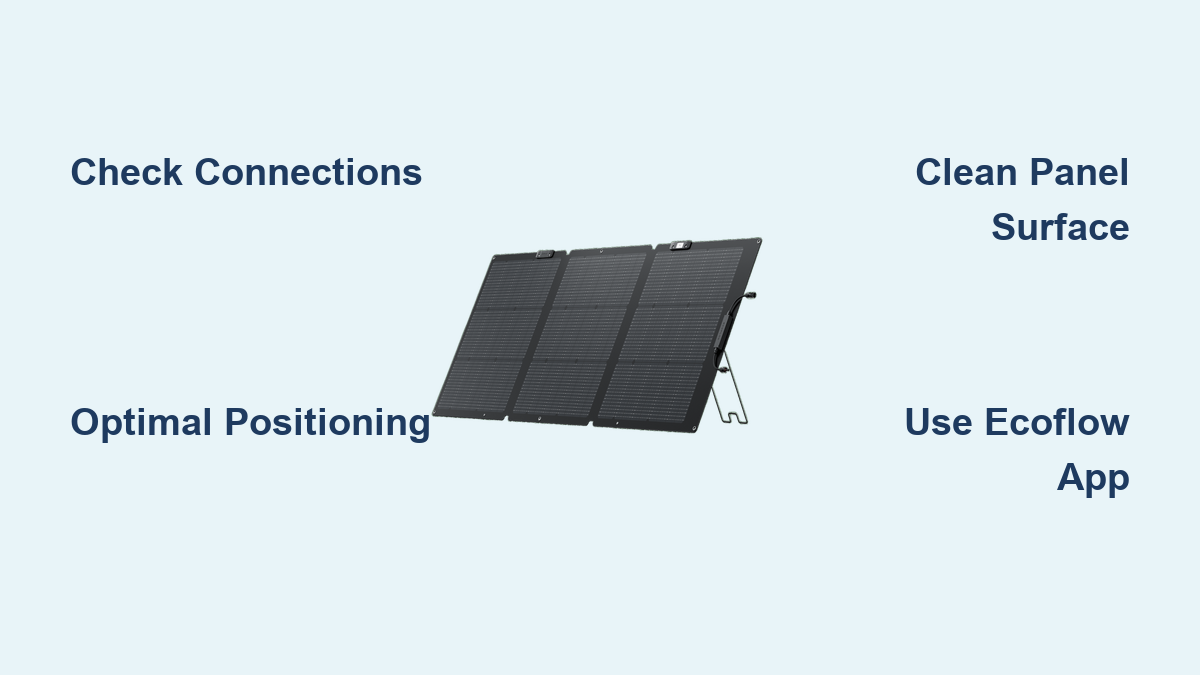
- Angle: The ideal angle depends on your latitude and the time of year. As a general rule, aim for an angle equal to your latitude in the spring and fall. Adjust steeper in winter and shallower in summer.
- Direction: Face the panel directly south (in the Northern Hemisphere) for maximum sunlight exposure.
- Avoid Shade: Even partial shading can significantly reduce power output. Regularly check for and remove any obstructions.
Understanding Solar Irradiance
Solar irradiance refers to the amount of solar power received per unit area. Higher irradiance means more power generation. Factors affecting irradiance include:
* Time of Day: Irradiance is highest around solar noon.
* Weather Conditions: Cloudy or overcast days reduce irradiance.
* Geographical Location: Areas closer to the equator receive higher irradiance.
Using the EcoFlow App
The EcoFlow app allows you to monitor the solar panel’s performance in real-time:
* Charging Power: View the current charging power from the solar panel.
* Historical Data: Track charging performance over time.
* Panel Status: Check the panel’s connection status and any error messages.
Troubleshooting Common Issues

Panel Not Charging
- Check Connections: Ensure all connections are secure.
- Check Voltage: Use a multimeter to verify the panel’s voltage output.
- Check Power Station Input: Make sure the power station is not at its maximum input capacity.
- Shade: Ensure the panel is not shaded.
- MC4 Connector: Check the MC4 connector for damage or corrosion.
Low Charging Power
- Angle: Adjust the panel’s angle for optimal sunlight exposure.
- Irradiance: Charging power will be lower on cloudy days.
- Panel Cleanliness: Clean the panel surface to remove dirt and debris.
- Cable Length: Long extension cables can cause voltage drop. Use the shortest cable possible.
Error Messages in the EcoFlow App
- Consult the EcoFlow Support Website: The EcoFlow website provides detailed explanations of error codes and troubleshooting steps.
- Update Firmware: Ensure your EcoFlow power station and app are running the latest firmware.
- Contact Support: If the issue persists, contact EcoFlow customer support.
Pro Tips for EcoFlow Solar Panel Users
- Regular Cleaning: Clean your solar panel regularly with a soft cloth and mild detergent to maintain optimal efficiency.
- Panel Storage: When not in use, store the panel in a dry, protected location.
- Invest in a Stand: A solar panel stand allows for easy angle adjustment and improved performance.
- Consider a Charge Controller: For larger systems, a charge controller can optimize charging efficiency and protect the battery.
- Maximize Sunlight Hours: Position your panel to capture sunlight for as many hours as possible throughout the day.
- Check for Updates: Keep your EcoFlow Power Station firmware updated for optimal performance.
Professional Help
- Signs You Need a Professional: If you encounter persistent charging issues, suspect damage to the panel, or are uncomfortable working with electrical components, consult a qualified technician.
- Finding a Service Provider: Search online for EcoFlow-certified repair centers or solar panel installers in your area.
- Typical Costs: Repair costs vary depending on the issue and the service provider. Expect to pay for labor and any replacement parts.
FAQ
Q: Can I connect multiple EcoFlow solar panels to my power station?
A: Yes, as long as the total wattage does not exceed the power station’s maximum input capacity.
Q: What happens if it rains while my solar panel is connected?
A: EcoFlow solar panels are water-resistant, but it’s best to disconnect them during heavy rain or storms to prevent damage.
Q: How long will it take to charge my EcoFlow power station with a solar panel?
A: The charging time depends on the panel’s wattage, the power station’s capacity, and the amount of sunlight available.
Q: Can I use an extension cable with my EcoFlow solar panel?
A: Yes, but use a high-quality extension cable with the appropriate gauge to minimize voltage drop.
Alternative Solutions
- Portable Solar Generators: If you need a complete off-grid power solution, consider a portable solar generator (which includes a power station and solar panels).
- Grid-Tie Solar Systems: For long-term energy independence, explore grid-tie solar systems that connect to your home’s electrical grid.
Get Your EcoFlow Solar Panel Working Again
By implementing the strategies outlined in this guide, you can now confidently harness the sun’s energy with your EcoFlow solar panel. Remember to:
– Prioritize optimal positioning for maximum efficiency.
– Regularly clean and maintain your panel.
– Troubleshoot any issues systematically.
Don’t let a lack of knowledge hold you back from enjoying the benefits of clean, renewable energy.
Have you successfully set up and used your EcoFlow solar panel? Share your experiences and tips in the comments below to help fellow EcoFlow users!