
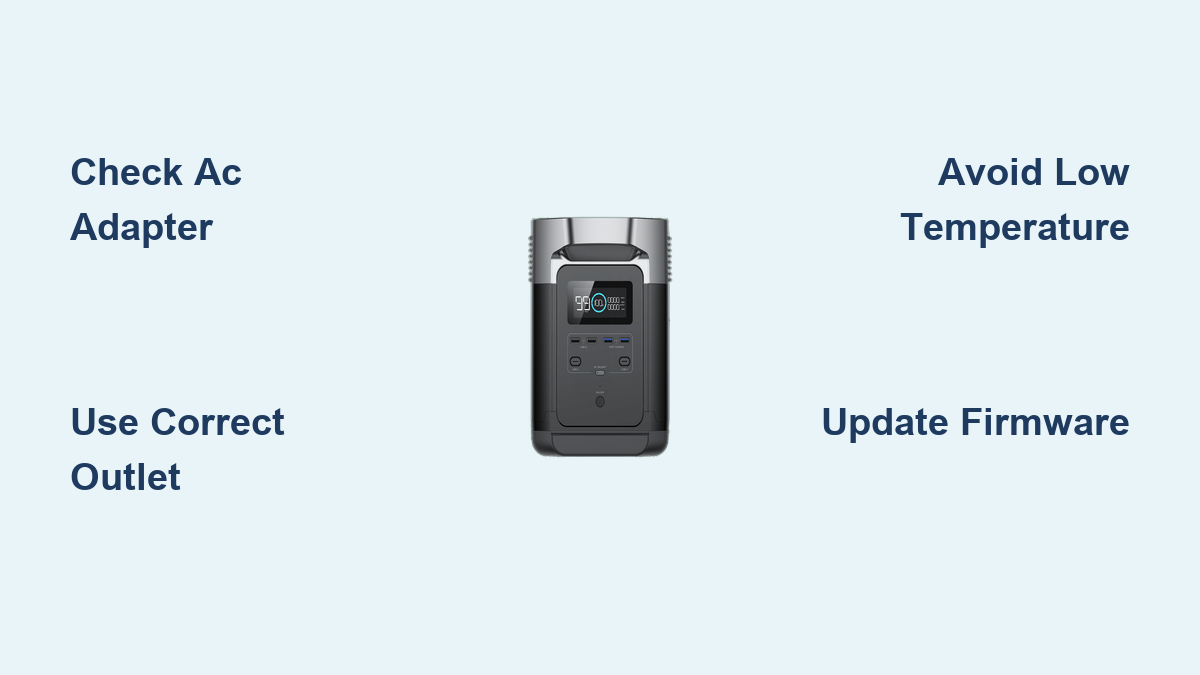
Are you frustrated because your EcoFlow Delta 1300 isn’t charging, or are you unsure about the best way to maximize its charging speed and lifespan? It’s a common concern, and often a simple adjustment to your charging setup can get you back up and running. The quickest fix is often checking your AC adapter and wall outlet, but there’s much more to optimized charging than that.
This comprehensive guide will walk you through everything you need to know about charging your EcoFlow Delta 1300, from the different charging methods and troubleshooting common issues, to maximizing its charge cycles and maintaining its overall health. We’ll cover everything from AC charging to solar input, car charging, and more, so you’ll be confident in keeping your power station fully charged and ready for any adventure.
Understanding EcoFlow Delta 1300 Charging Options
The EcoFlow Delta 1300 offers versatile charging options. Knowing these will help you choose the best method for your situation.
AC Wall Charging
This is the most common charging method. The Delta 1300 can be charged from a standard AC wall outlet.
– Charging Time (AC): Approximately 1.8 – 2.2 hours (using the included AC adapter)
– Wattage: 650W maximum input from AC power.
Solar Charging
Utilize solar panels to charge your Delta 1300 sustainably.
– Solar Input: 400W maximum input.
– Connector Type: MC4 connectors are required.
– Charging Time (Solar): Varies greatly depending on sunlight and panel wattage (approximately 4-8 hours with optimal conditions and 400W panels).
Car Charging (12V)
Charge your Delta 1300 on the go using your vehicle’s 12V outlet.
– Charging Time (Car): Approximately 10-12 hours.
– Note: This is the slowest charging method, best for emergencies or situations where other options aren’t available.
Troubleshooting: Why Your EcoFlow Delta 1300 Isn’t Charging

Several factors can prevent your Delta 1300 from charging. Let’s explore the most common causes.
Low Temperature
The Delta 1300 has a built-in temperature protection system.
– Issue: If the battery temperature is too low (below 41°F/5°C), it won’t charge.
– Solution: Move the unit to a warmer environment. Allow it to warm up naturally before attempting to charge.
Faulty AC Adapter or Cable
A damaged AC adapter or cable can interrupt the charging process.
– Issue: The adapter might be malfunctioning, or the cable could be frayed or damaged.
– Solution: Inspect the adapter and cable for any visible damage. Try a different, compatible AC adapter and cable if possible. Contact EcoFlow support if you suspect a faulty adapter.
Incorrect Outlet or Circuit
The outlet you’re using may not be providing power or may be on a circuit that’s overloaded.
– Issue: The outlet might be faulty, or the circuit breaker may have tripped.
– Solution: Test the outlet with another device. Check your circuit breaker panel and reset any tripped breakers.
Software Glitch
Occasionally, a software glitch can prevent charging.
– Issue: The Delta 1300’s internal software may be experiencing an error.
– Solution: Perform a firmware update via the EcoFlow app. (See EcoFlow’s website for instructions). A factory reset (use with caution, as it will erase settings) can also sometimes resolve this.
Comprehensive Charging Methods: Step-by-Step
Let’s dive into the detailed steps for each charging method.
AC Wall Charging: Step-by-Step
- Connect the AC Adapter: Plug the AC adapter into the charging port on the Delta 1300.
- Plug into Outlet: Plug the AC adapter into a functioning wall outlet.
- Check the Display: The Delta 1300’s display will illuminate, showing the charging status. The charging icon will indicate the charging progress.
- Monitor Charging: Allow the unit to charge fully. The display will indicate 100% when charging is complete.
Solar Charging: Step-by-Step

- Connect Solar Panels: Connect compatible solar panels to the Delta 1300 using MC4 connectors. Ensure correct polarity (+ to + and – to -).
- Position Panels: Position the solar panels in direct sunlight for optimal charging.
- Check the Display: The Delta 1300’s display will show the solar input wattage and charging status.
- Monitor Charging: Monitor the charging progress. Charging time will depend on sunlight intensity and panel wattage.
Car Charging: Step-by-Step
- Connect Car Charger: Plug the EcoFlow car charger into the Delta 1300’s DC input port.
- Plug into Vehicle: Insert the car charger into your vehicle’s 12V outlet.
- Start Vehicle: Start your vehicle to provide power to the Delta 1300. Note: Some vehicles may automatically cut power to the 12V outlet when turned off.
- Check the Display: The Delta 1300’s display will show the charging status.
- Monitor Charging: Monitor the charging progress. This method is slow, so plan accordingly.
Pro Tips for Optimal EcoFlow Delta 1300 Charging

- Prioritize AC Charging: When possible, use AC charging for the fastest charging speeds.
- Maximize Solar Input: Position solar panels for maximum sunlight exposure throughout the day.
- Avoid Extreme Temperatures: Don’t charge or store the Delta 1300 in extreme temperatures.
- Use the EcoFlow App: Utilize the EcoFlow app to monitor charging status, adjust settings, and perform firmware updates.
- Store Properly: When not in use for extended periods, charge the Delta 1300 to around 40-60% for optimal battery health.
- Don’t Overcharge: The Delta 1300 has overcharge protection, but it’s best to unplug it once fully charged to conserve energy.
- Cycle the Battery: Periodically discharge and recharge the battery to maintain its capacity.
When to Seek Professional Help
- Persistent Charging Issues: If you’ve tried all the troubleshooting steps and the Delta 1300 still won’t charge.
- Physical Damage: If the unit has been dropped or sustained physical damage.
- Error Codes: If the display shows an error code you can’t resolve.
- Battery Swelling: If you notice any swelling or deformation of the battery.
EcoFlow has a network of authorized service centers. Visit their website for assistance.
FAQ
Q: Can I use a different AC adapter than the one provided?
A: While technically possible, using an adapter not specifically designed for the Delta 1300 could damage the unit. It’s strongly recommended to use the original EcoFlow adapter.
Q: How can I check the firmware version on my Delta 1300?
A: Open the EcoFlow app, connect to your Delta 1300, and navigate to the “Settings” section. The firmware version will be displayed there.
Q: What does the “Battery Temperature Protection” error mean?
A: This means the battery is too cold or too hot to charge. Move the unit to a more moderate temperature.
Q: Can I charge the Delta 1300 and use it at the same time?
A: Yes, the Delta 1300 supports pass-through charging, allowing you to charge and power devices simultaneously.
Get Your EcoFlow Delta 1300 Working Again
By following this guide, you’ve learned how to effectively charge your EcoFlow Delta 1300 using various methods and troubleshoot common issues. Remember to prioritize AC charging when possible, maximize solar input, and maintain proper storage practices.
Have you successfully resolved your charging issue? Share your experience or any additional tips in the comments below to help other EcoFlow users!