
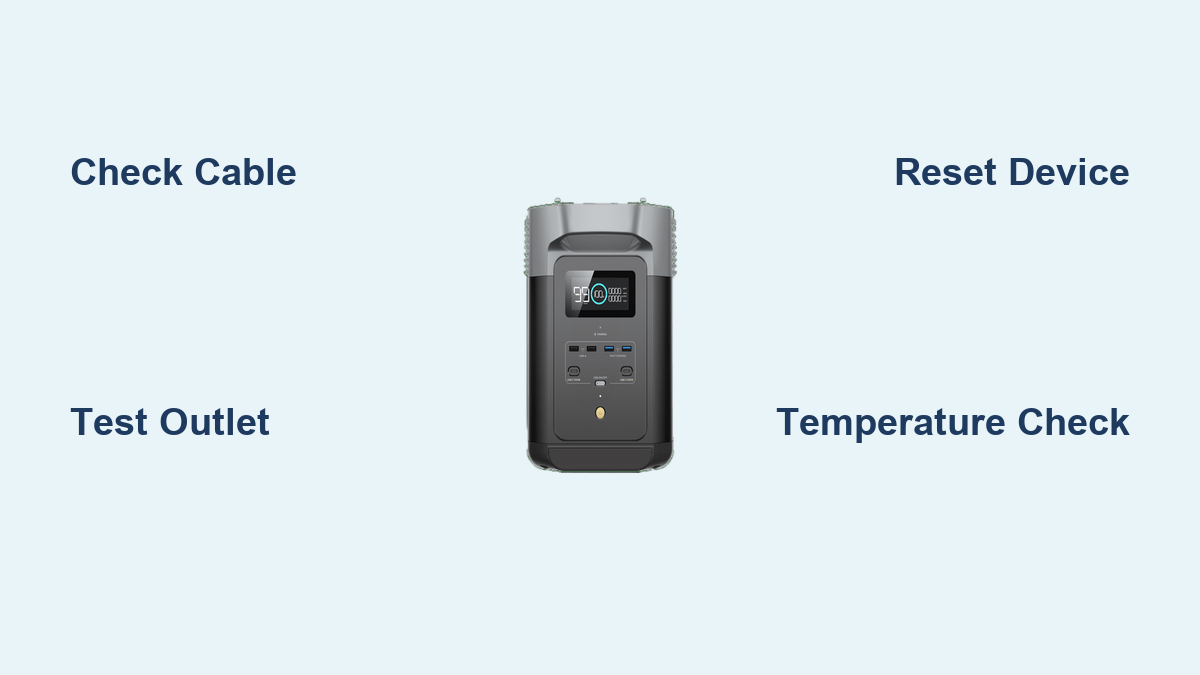
Are you frustrated because your EcoFlow portable power station won’t charge? A dead battery can ruin outdoor adventures, emergency preparedness, or even just a peaceful power outage solution. The good news is, many EcoFlow charging issues have quick fixes you can implement right away. Often, it’s as simple as checking the cable or resetting the system.
This comprehensive guide will walk you through everything you need to know to diagnose and resolve EcoFlow battery charging problems. We’ll cover common causes, multiple troubleshooting steps from easy to advanced, and preventative maintenance tips to keep your EcoFlow charged and ready when you need it. By the end of this article, you’ll be confident in your ability to get your EcoFlow back up and running.
Common Causes of EcoFlow Battery Not Charging
Several factors can prevent your EcoFlow from charging. Here’s a breakdown of the most common culprits:
Faulty Charging Cable
The charging cable is the most frequent point of failure. Damage, wear and tear, or simply using an incompatible cable can all cause charging issues.
Incorrect Power Source
Using a charger that doesn’t meet the EcoFlow’s power requirements (voltage, amperage) or a faulty wall outlet will prevent charging.
Temperature Extremes
EcoFlow batteries have optimal temperature ranges for charging. Charging in excessively hot or cold environments can disable the charging function as a safety precaution.
Software Glitches
Occasionally, a software bug or temporary system error can interfere with the charging process.
Battery Management System (BMS) Issues
The BMS protects the battery. It might halt charging if it detects a potential problem like overvoltage, undervoltage, or an internal fault.
Internal Battery Problem
While less common, a failing battery cell or internal component can prevent charging. This usually requires professional attention.
How to Fix EcoFlow Battery Not Charging
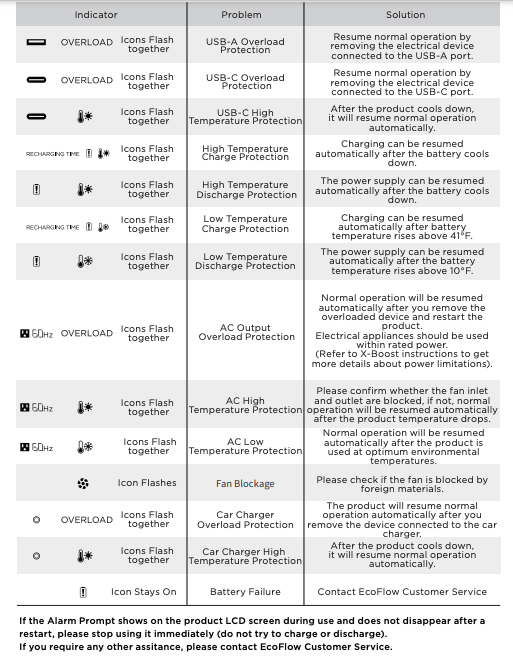
Let’s move on to the solutions. We’ll start with the simplest and progress to more complex troubleshooting steps.
Method 1: Basic Checks & Reset (Quick Fix)
This is your first line of defense. Often, a simple reset or cable check is all it takes.
Diagnosing the Issue
- Visually inspect the charging cable for any signs of damage (frays, bends, exposed wires).
- Verify the wall outlet is working by plugging in another device.
- Check the EcoFlow’s display for any error messages.
Fix Steps
- Cable Check: Disconnect and reconnect the charging cable, ensuring a firm connection at both the EcoFlow and the power source. Try a different, known-working EcoFlow charging cable if available.
- Outlet Test: Plug the charger into a different wall outlet.
- Reset: Press and hold the power button on the EcoFlow for 10-15 seconds to perform a hard reset.
Testing
Plug in the charger and observe if the EcoFlow begins charging. Check the display for charging indicators.
Method 2: Temperature Correction
EcoFlow units have built-in temperature protection.
Diagnosing the Issue
- Check the ambient temperature. Refer to your EcoFlow model’s specifications for the optimal charging temperature range.
- If the unit is too hot or cold, move it to a more moderate environment.
Fix Steps
- Cooling: If the unit is hot, move it to a shaded, well-ventilated area. Avoid direct sunlight.
- Warming: If the unit is cold, move it to a warmer indoor location. Avoid rapid temperature changes.
Testing
After allowing the unit to reach a suitable temperature, plug in the charger and observe if charging resumes.
Method 3: Software Update & Firmware Reset
Outdated software or a minor glitch can cause charging issues.
Diagnosing the Issue
- Use the EcoFlow app to check for available software updates.
Fix Steps
- Update Software: If an update is available, download and install it through the EcoFlow app.
- Firmware Reset: In the EcoFlow app, navigate to the settings menu and look for an option to reset the firmware. Note: This might erase custom settings. Follow the on-screen instructions.
Testing
After the update/reset, plug in the charger and monitor the charging process.
Method 4: Advanced Troubleshooting – BMS Reset (For Experienced Users)
Warning: Incorrectly performing a BMS reset can potentially damage your EcoFlow. Proceed with caution and only if you are comfortable with the process.
Diagnosing the Issue
- If the EcoFlow displays a BMS error or consistently fails to charge despite other troubleshooting steps, a BMS reset might be necessary.
Fix Steps
- Disconnect: Completely disconnect the EcoFlow from all power sources and accessories.
- Hold Power Button: Press and hold the power button for 30-60 seconds. This may reset the BMS. Consult your EcoFlow model’s manual for specific BMS reset instructions.
- Reconnect & Test: Reconnect the charger and observe if charging resumes.
How to Prevent Future Charging Issues
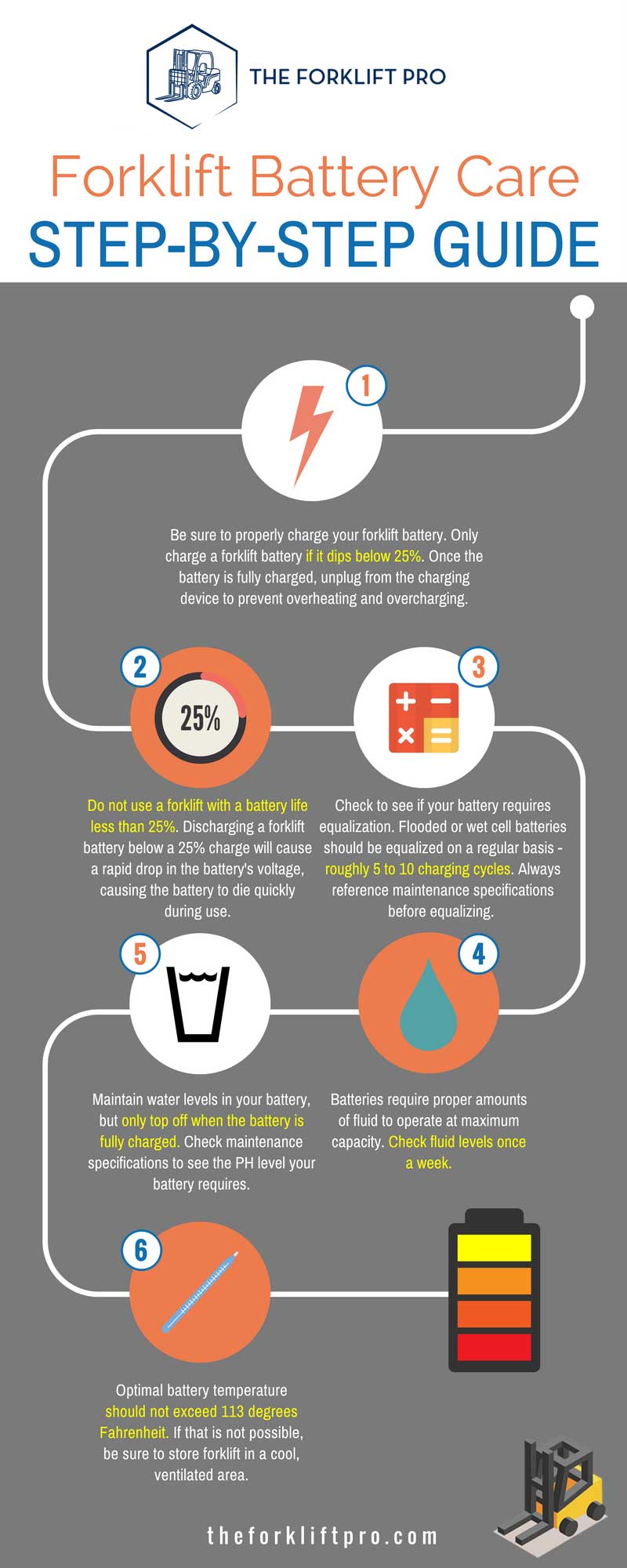
Preventative maintenance can significantly reduce the likelihood of charging problems.
Store Properly
Store your EcoFlow in a cool, dry place when not in use. Avoid extreme temperatures.
Use the Correct Charger
Always use the official EcoFlow charger or a compatible charger with the correct voltage and amperage.
Regular Software Updates
Keep the EcoFlow app and firmware up to date for optimal performance and bug fixes.
Avoid Deep Discharge
While EcoFlow batteries are designed to handle deep discharge, frequently draining the battery to 0% can shorten its lifespan.
Monitor Temperature
Avoid charging or storing the EcoFlow in direct sunlight or extreme temperatures.
Pro Tips for EcoFlow Owners
- Charging Speed: Use a higher wattage charger for faster charging, if your EcoFlow supports it.
- Pass-Through Charging: EcoFlow units can often be used while charging (pass-through charging), but this can slightly reduce charging speed and potentially shorten battery lifespan over time.
- Long-Term Storage: If storing for extended periods, charge the EcoFlow to around 40-60% for optimal battery health.
- Dust and Debris: Regularly clean the charging port to prevent dust and debris buildup.
- App Monitoring: Utilize the EcoFlow app to monitor battery health, charging status, and temperature.
Professional Help
If you’ve tried all the troubleshooting steps and your EcoFlow still won’t charge, it’s time to seek professional help.
Signs You Need Professional Repair:
- Physical damage to the battery or unit.
- Persistent BMS errors.
- Swollen or leaking battery.
- Internal component failure.
Finding a Service Provider:
- Contact EcoFlow’s customer support for authorized service centers.
- Look for reputable electronics repair shops with experience in battery technology.
Typical Costs: Repair costs can vary significantly depending on the issue and the service provider. Expect to pay between $100-$500 for common repairs.
FAQ
Q: Why is my EcoFlow showing “Input Error”?
A: This usually indicates a problem with the charging cable, power source, or the EcoFlow’s internal charging circuitry. Try a different cable, outlet, and reset the unit.
Q: Can I use a USB-C charger to charge my EcoFlow?
A: Some smaller EcoFlow models support USB-C charging, but it will be significantly slower than using the dedicated AC adapter. Check your model’s specifications.
Q: How long should it take to fully charge my EcoFlow?
A: Charging time depends on the EcoFlow model, battery capacity, and the wattage of the charger. Refer to your user manual for estimated charging times.
Q: What does the “Battery Protection” error mean?
A: This indicates the BMS has activated a safety feature, usually due to temperature extremes or a battery fault. Let the unit cool down or warm up, then try charging again.
Alternative Solutions
If you’ve exhausted all troubleshooting steps and your EcoFlow is still under warranty, contact EcoFlow support for a replacement or repair. If your EcoFlow is beyond repair, consider upgrading to a newer model with improved battery technology.
Get Your EcoFlow Working Again
You’ve now learned a comprehensive set of solutions to address EcoFlow battery charging issues. From simple cable checks and resets to advanced BMS troubleshooting, you’re equipped to diagnose and resolve most common problems. Remember to prioritize safety and consult a professional when in doubt.
Have you successfully revived your EcoFlow? Share your experience and any tips you’ve discovered in the comments below to help other EcoFlow users!