

Are you experiencing issues with your EcoFlow River Max portable power station? It’s frustrating when a reliable power source isn’t working as expected, especially when you rely on it for camping, emergencies, or outdoor activities. A common quick fix is to ensure all cables are securely connected and the unit is reset, but often the issue is more complex.
This comprehensive guide will walk you through the most common problems with the EcoFlow River Max, offering multiple solutions, from simple troubleshooting steps to more advanced fixes. We’ll cover everything from charging issues and display errors to problems with AC output and battery performance, empowering you to resolve the issue and get your River Max back up and running flawlessly. By the end of this article, you’ll have the knowledge and confidence to diagnose and fix most issues yourself.
Common EcoFlow River Max Problems

Charging Issues
The River Max not charging is one of the most frequently reported problems. Several factors can contribute to this.
- Incorrect Power Adapter: Using a non-EcoFlow charger or one with insufficient wattage can prevent charging.
- Faulty Charging Cable: A damaged or worn-out charging cable can interrupt the power flow.
- Low Temperature: Lithium-ion batteries perform poorly in extreme cold. The River Max may refuse to charge if the temperature is too low.
- Software Glitch: Occasionally, a software bug can interfere with the charging process.
AC Output Problems
If your River Max isn’t powering your devices, the issue might lie with the AC output.
- Overload: Plugging in devices that exceed the River Max’s output capacity (600W, 1200W surge) will trigger an overload protection.
- AC Output Disabled: The AC output might be intentionally disabled through the EcoFlow app or on the unit itself.
- Internal Fault: A less common, but serious issue, could be an internal fault within the inverter.
- Faulty AC Cables/Adapters: Ensure the devices you are plugging in have functioning cables and adapters.
Display Errors & System Freezes
The LCD display can sometimes exhibit errors or the system may freeze.
- Software Bug: Temporary software glitches can cause display errors or system freezes.
- Firmware Issues: Outdated or corrupted firmware can lead to instability.
- Internal Component Failure: In rare cases, a failing internal component could be the culprit.
Battery Performance Issues
Reduced runtime or inaccurate battery level readings are concerning signs.
- Battery Degradation: Like all lithium-ion batteries, the River Max’s battery capacity will gradually decrease over time.
- Extreme Temperatures: Operating or storing the River Max in extreme temperatures can accelerate battery degradation.
- Improper Storage: Leaving the unit discharged for extended periods can damage the battery.
How to Fix EcoFlow River Max Problems
Method 1: Basic Troubleshooting (Quick Fixes)
This involves simple checks and resets that often resolve minor issues.
Diagnosing the Issue
Quickly assess the situation: Is the unit powering on? Is the display showing any error messages? Is it making any unusual noises?
Fix Steps
- Power Cycle: Turn off the River Max completely and unplug it from the power source. Wait 30 seconds, then plug it back in and turn it on.
- Check Cables: Ensure all cables (charging, AC output) are securely connected at both ends.
- Reset to Factory Settings: Hold the power button and the function button simultaneously for 10 seconds. This will erase all settings and restore the unit to its original state. Warning: This will delete custom settings.
Testing
Attempt to charge or use the AC output after each step to see if the problem is resolved.
Method 2: Software Solutions
These solutions involve updating or resetting the software.
Diagnosing the Issue
If the display is frozen or you suspect a software glitch, this method is applicable.
Fix Steps
- Update Firmware: Connect the River Max to Wi-Fi and open the EcoFlow app. Check for firmware updates and install them if available.
- App Reset: Clear the cache and data of the EcoFlow app on your smartphone.
- Factory Reset (Advanced): If firmware updates don’t help, perform a factory reset through the EcoFlow app.
Testing
Monitor the display and functionality after updating or resetting the software.
Method 3: Hardware Checks & Solutions
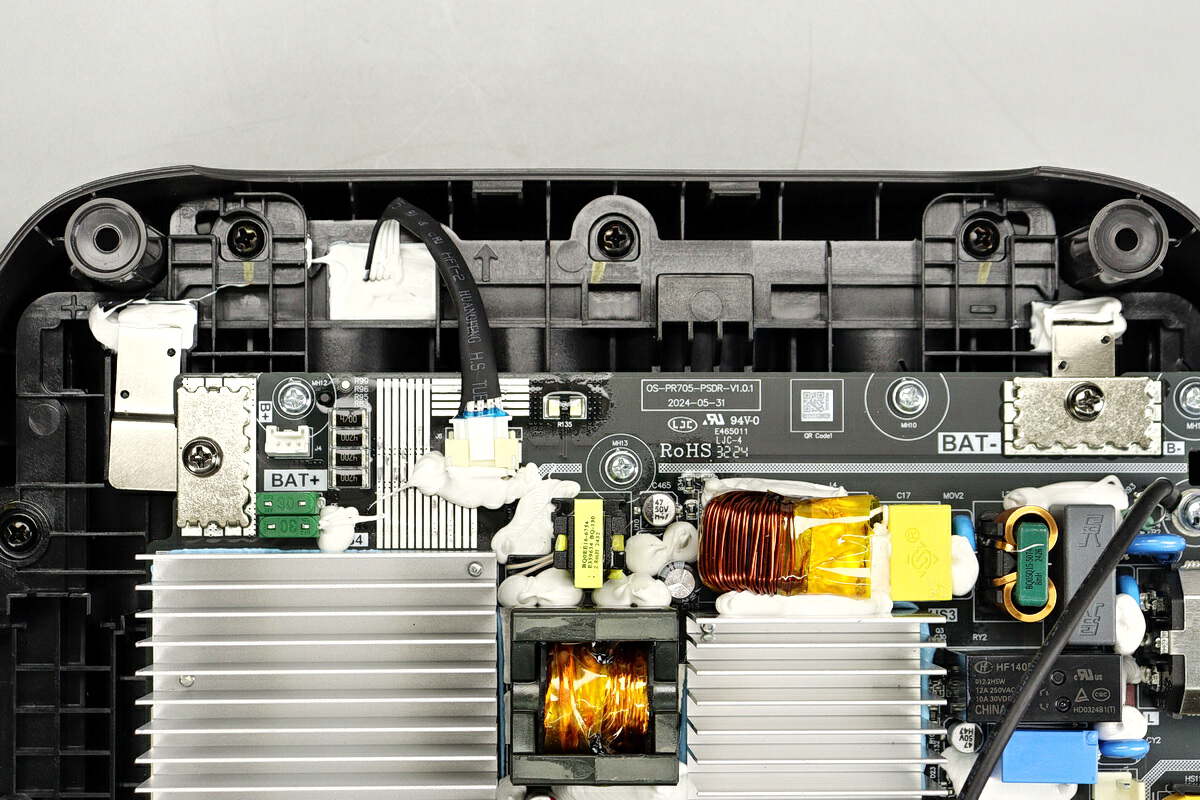
These solutions require more technical knowledge and may involve opening the unit (voiding the warranty). Proceed with caution!
Diagnosing the Issue
If the unit still isn’t working after software troubleshooting, a hardware issue is likely.
Fix Steps
- Inspect Charging Port: Check the charging port for physical damage or debris.
- Check Internal Fuse (if comfortable): Warning: Disconnecting the unit is crucial. If you have experience with electronics, carefully open the unit and inspect the internal fuse for damage.
- Contact EcoFlow Support: For complex hardware issues, the best course of action is to contact EcoFlow support for guidance or repair.
Testing
If you’ve made any hardware adjustments, carefully reassemble the unit and test its functionality.
Preventing Future EcoFlow River Max Problems

- Proper Storage: Store the River Max in a cool, dry place with a battery level between 40% and 60%.
- Temperature Control: Avoid exposing the unit to extreme temperatures.
- Use EcoFlow Charger: Always use the original EcoFlow charger and cable.
- Regular Firmware Updates: Keep the firmware updated to the latest version.
- Avoid Overloading: Do not exceed the maximum output capacity.
- Monitor Battery Health: Regularly check the battery health in the EcoFlow app.
Pro Tips
- X-Boost Mode: Understand the limitations of X-Boost mode. While it can power some devices that exceed the rated wattage, it may cause instability or damage if used with incompatible appliances.
- App Customization: Utilize the EcoFlow app to customize settings, monitor performance, and receive alerts.
- Avoid Deep Discharge: While the River Max is designed to handle deep discharges, frequent full discharges can shorten battery life.
- Charging in Cold Weather: If charging in cold weather, try warming the unit slightly before plugging it in.
- Error Codes: Familiarize yourself with common error codes and their meanings (refer to the EcoFlow manual).
Professional Help
- Signs you need professional help: Persistent charging issues, internal component failures, significant battery degradation, or safety concerns.
- Finding a service provider: Contact EcoFlow support for authorized repair centers in your area.
- Typical cost ranges: Repair costs vary depending on the issue and location, but can range from $100 to $500 or more.
- Warranty considerations: Check your warranty status before seeking repairs.
FAQ
Q: Why won’t my EcoFlow River Max turn on?
A: Ensure the unit is charged. If it still doesn’t turn on, try holding the power button for 10 seconds. If that doesn’t work, it could indicate a more serious internal issue.
Q: How do I reset my EcoFlow River Max?
A: Hold the power button and function button simultaneously for 10 seconds. This will restore the unit to its factory settings.
Q: What does the “Overload” error mean?
A: This means you’re trying to power a device that exceeds the River Max’s output capacity. Unplug the device and try a lower-wattage appliance.
Q: Can I use a third-party charger with my EcoFlow River Max?
A: While possible, it’s strongly recommended to use the original EcoFlow charger to ensure compatibility and prevent damage.
Q: How long does the EcoFlow River Max battery last?
A: Battery life varies depending on the connected devices and their power consumption. However, a fully charged River Max typically provides several hours of power.
Get Your EcoFlow River Max Working Again
By following this guide, you’ve learned how to diagnose and fix common problems with your EcoFlow River Max. Remember to start with the basic troubleshooting steps and work your way up to more advanced solutions.
Don’t let a malfunctioning power station disrupt your adventures. With a little knowledge and effort, you can get your River Max back to providing reliable power whenever and wherever you need it.
Have you successfully fixed your EcoFlow River Max? Share your experience in the comments below to help other readers!